How Turncrest works
A requirement, the evidence for it, and the GC's decision are three separate records. Turncrest keeps them separate, so an upload never looks like an approval and an approval never looks like acceptance.
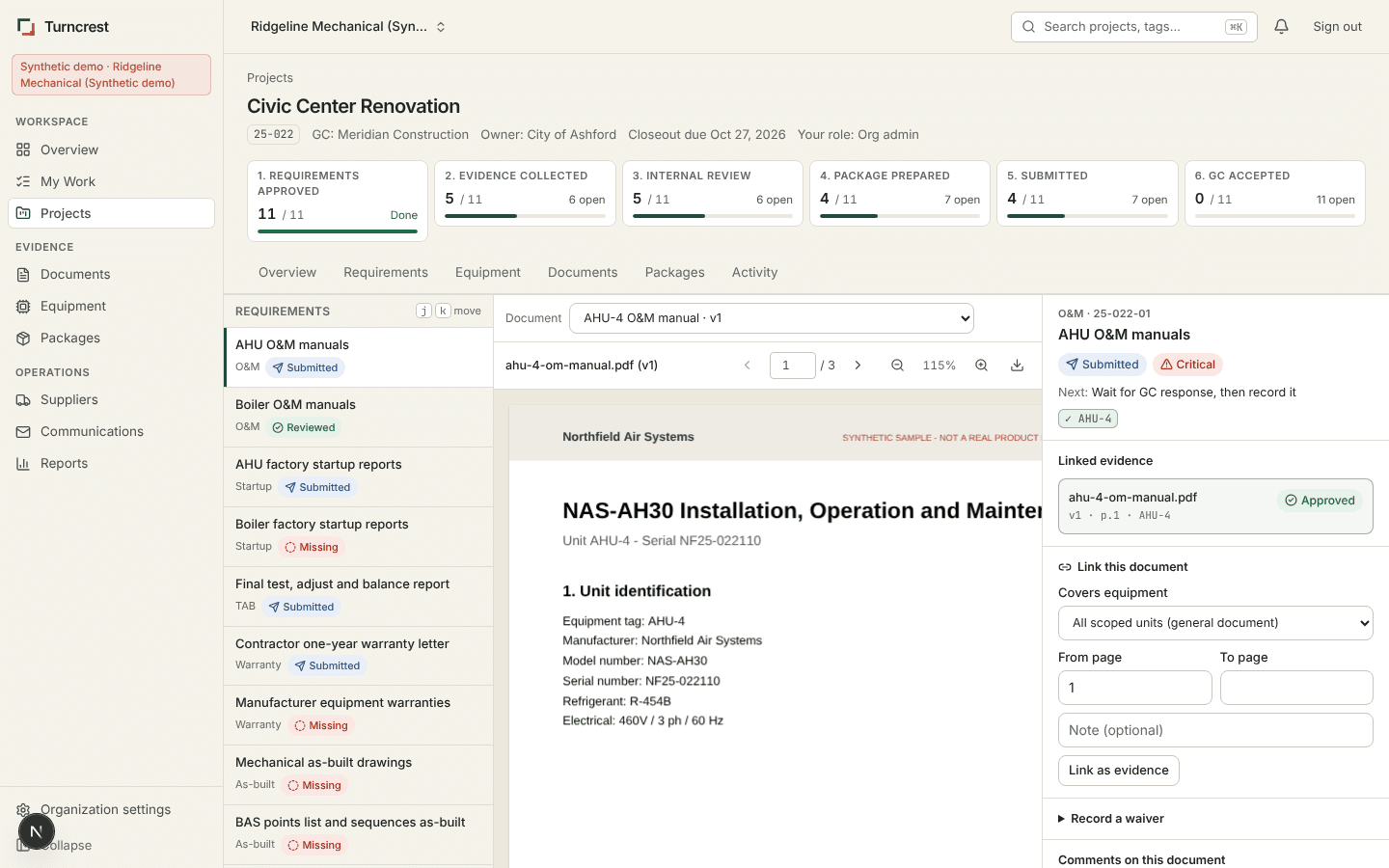
Evidence Studio
Requirements on the left, the real document in the center, equipment scope and review on the right. Link a page range to a requirement and a specific unit. A project manager approves or rejects with a reason. Keyboard shortcuts move between requirements and pages.
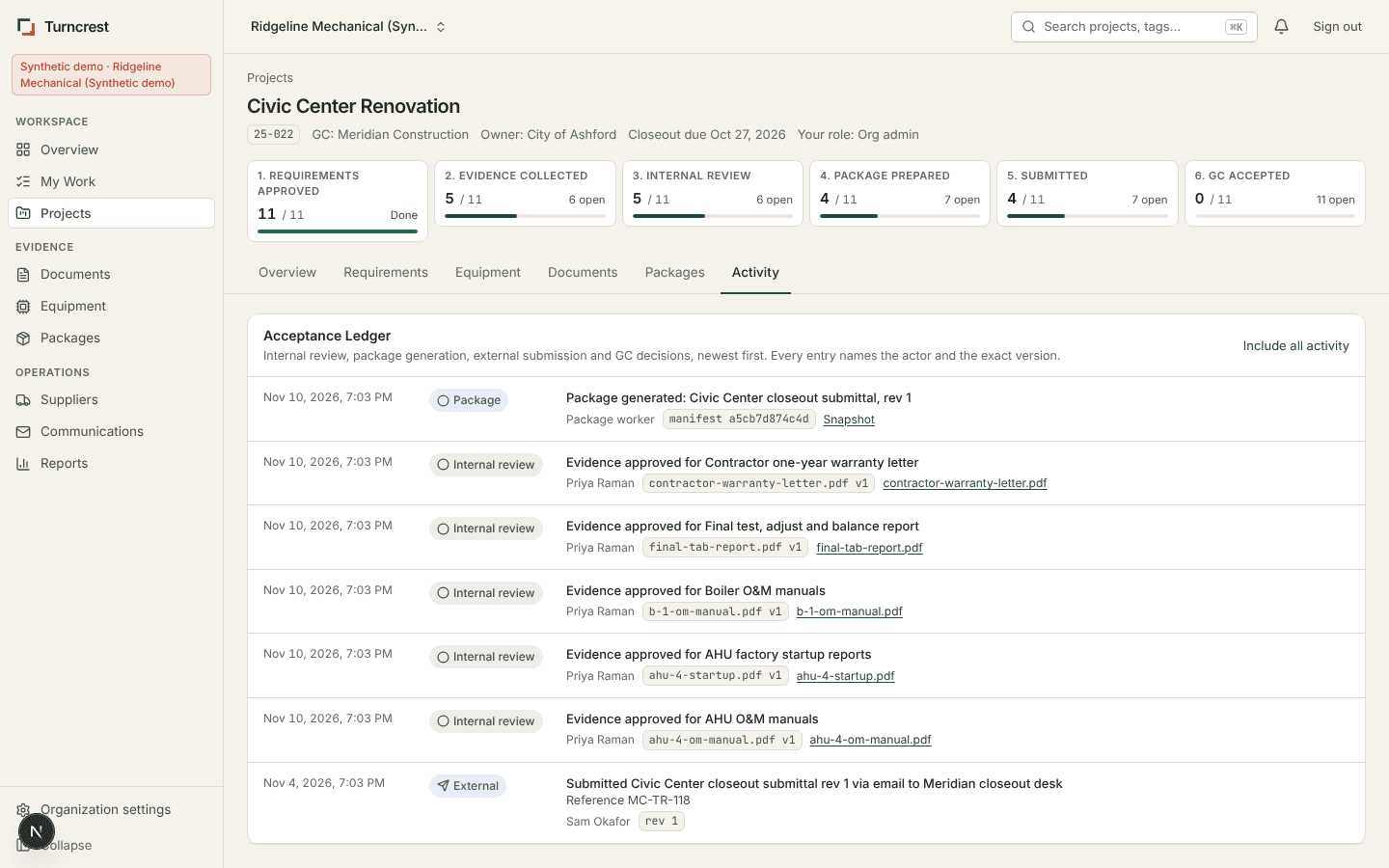
Acceptance Ledger
One chronological record of internal review, package generation, external submission, GC rejection, revision and acceptance. Every entry names the actor and the exact version, and links to its evidence. Internal approval and GC acceptance are labeled separately.
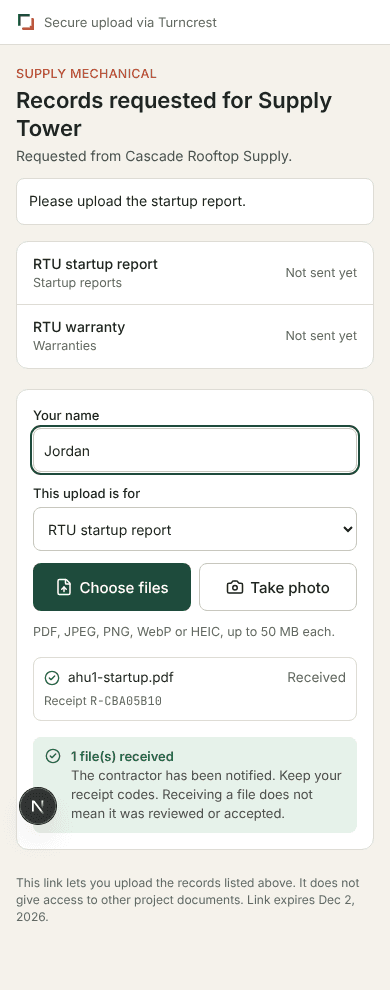
Supplier Drop
Send a supplier a scoped link. They see the project, the requested records and the due date, and upload from a phone with a camera or file picker. They get a receipt code. They cannot browse other documents or see other suppliers. Links expire and can be revoked.
Also in the workspace
Closeout Grid
Projects by category with counts, the most urgent state and the reason it is urgent. Saved views for review, supplier waits and rejections.
Project Spine
Six stages from approved definitions to GC acceptance, computed from each requirement, so partial progress stays visible.
Equipment Passports
Make, model, serial, required records, linked versions, supplier contact and warranty dates confirmed against a cited page.
Package Composer
Ordered sections, drag and drop or keyboard moves, preflight checks, an indexed PDF and a ZIP of byte-exact originals with a hashed manifest.
My Work
Every open item with an owner, reason, due date, last event and next step. Reassign in bulk and snooze for yourself.
Communications
Reminders list the exact outstanding items, need a PM's approval with an expiry, and are rechecked before sending.
Screenshots come from the synthetic demo workspace. All companies, projects and documents in them are fictional.